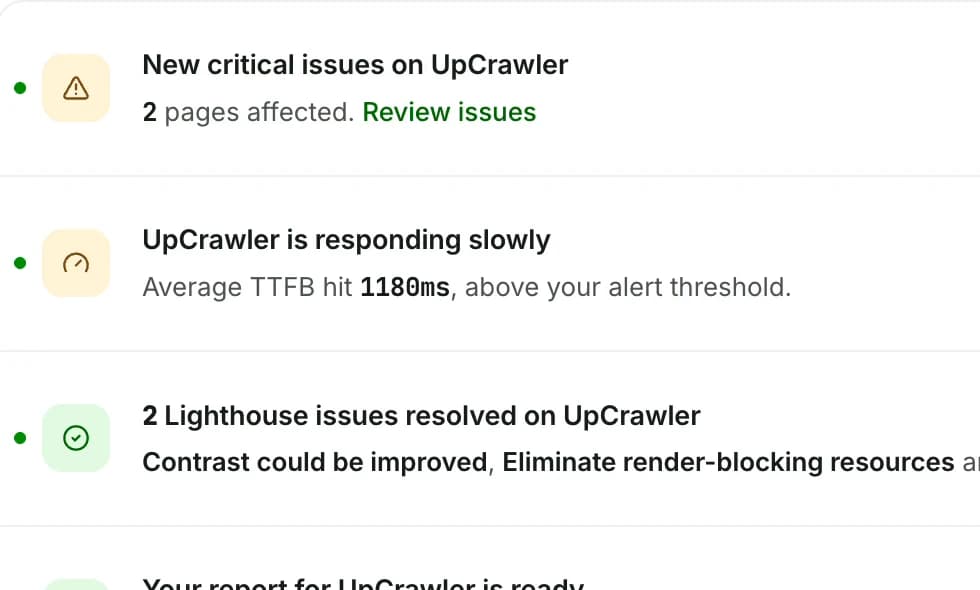
Lighthouse audits on autopilot.
Desktop and mobile scores for every page, tracked over time, with a clear list of what to fix first. No more pasting URLs into PageSpeed Insights.
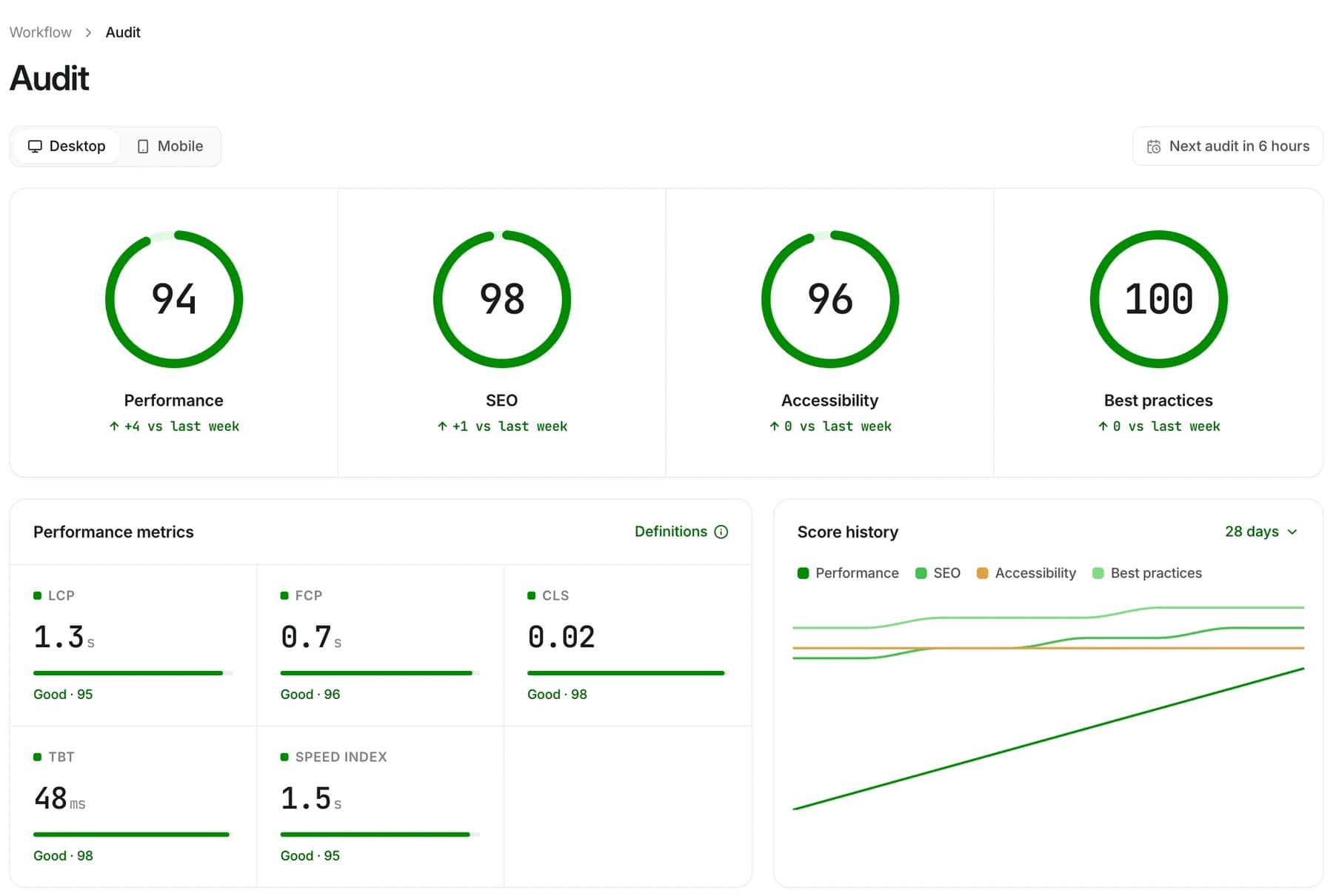
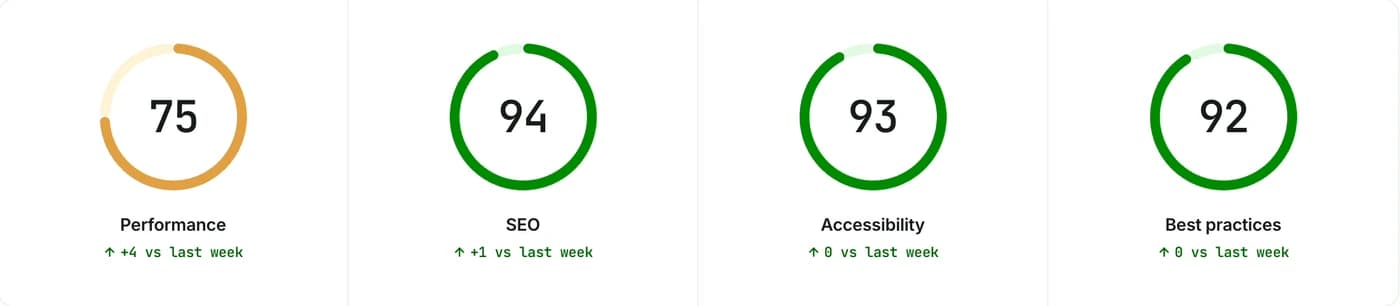
Same site. Two very different scores.
Lighthouse tests mobile on a slower device and network, so it is usually where you lose points. See both from the same audit.
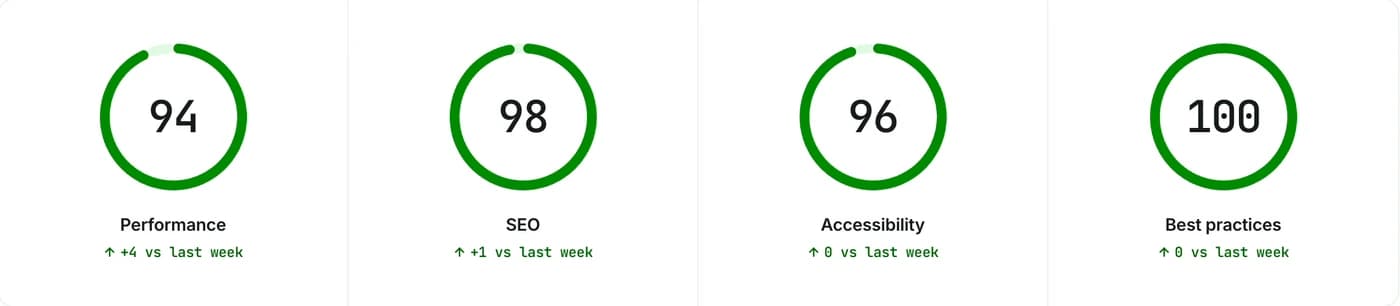
Catch a regression the day it ships.
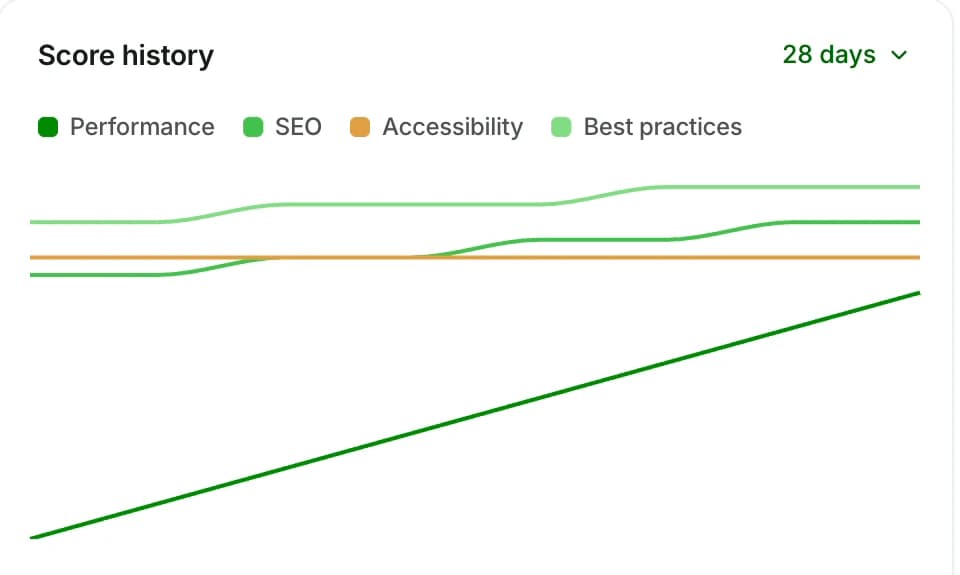
Every audit is saved, so a slow deploy shows up as a dip on the chart, not as a traffic drop weeks later.
- 28 days to months of history for all four scores.
- Per device, so a mobile-only slowdown can’t hide.
- Week-over-week change next to every score.
Know exactly what to fix next.
Lighthouse findings land in one list with the affected pages, and turn into ready-made AI prompts.
- Grouped by category: performance, accessibility, SEO.
- Affected pages listed for every finding.
- Step-by-step guides for Next.js, WordPress and Shopify.
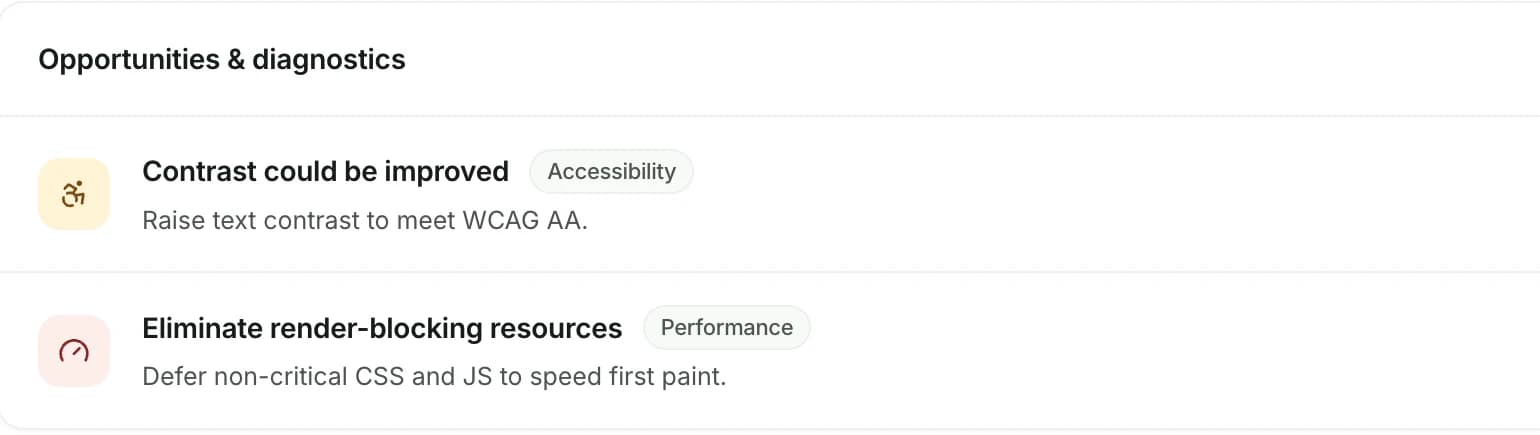
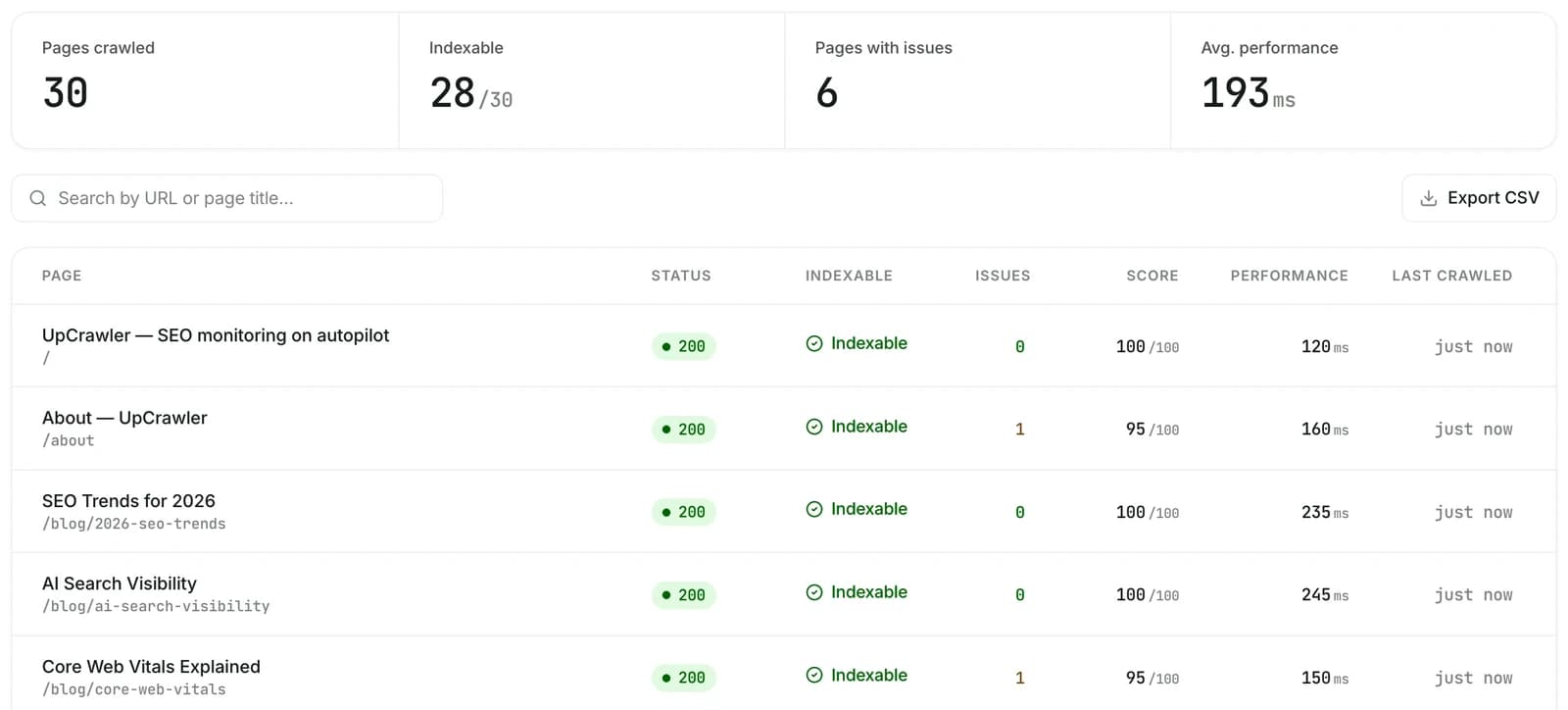
Defer non-critical CSS and JS on 1 page to speed up first paint…Not just your homepage.
PageSpeed Insights tests one URL at a time. UpCrawler crawls your whole site and shows performance for every page, so the slow ones can’t hide.
- Score and response time per page, sortable.
- Export to CSV for your team or clients.
- Search by URL or page title.
Great for a spot check. Not for keeping a site fast.
 UpCrawler
What each number means.
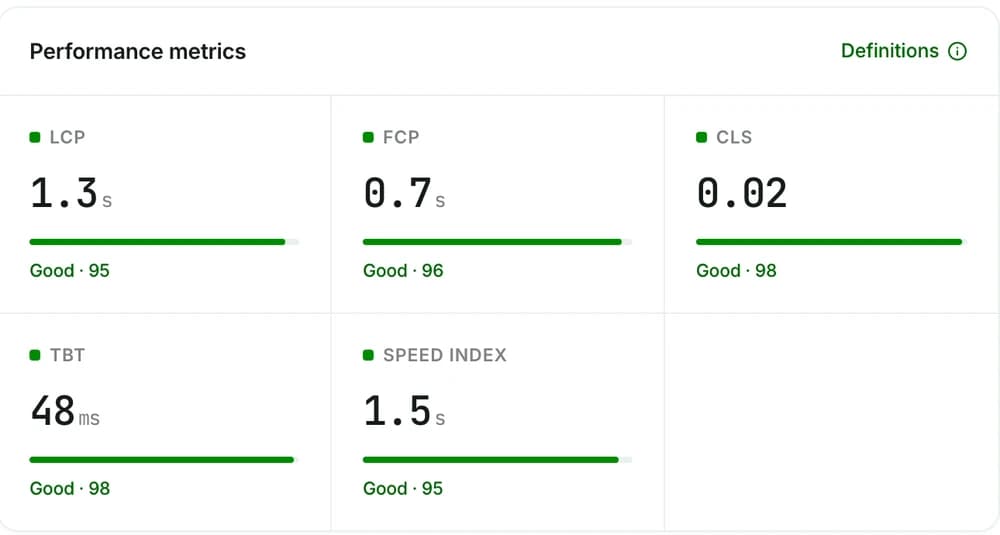
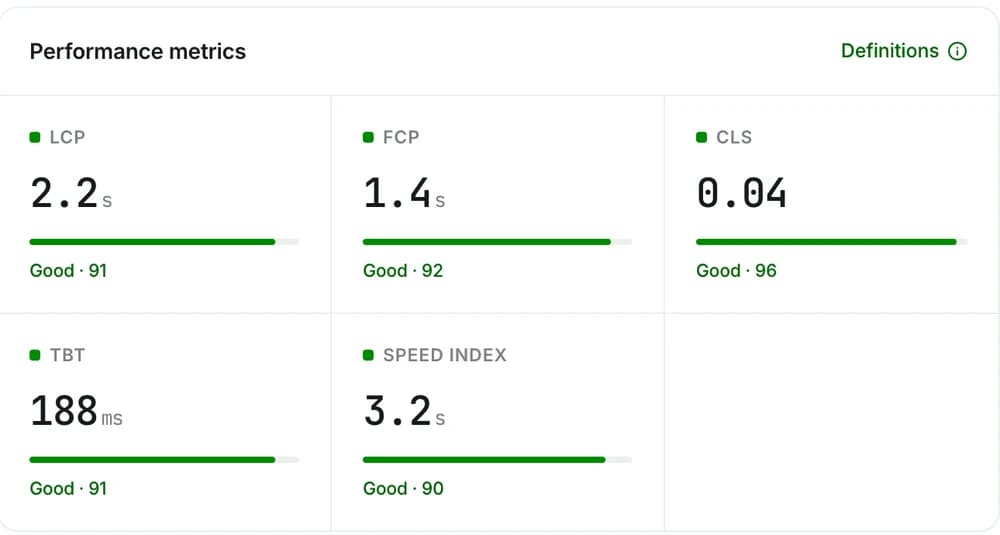
Your Lighthouse performance score is a weighted mix of five metrics. Here is what they measure and the target for a good score.
Weights from Lighthouse 10. Good thresholds from Google’s Core Web Vitals and Lighthouse docs (mobile).
Lighthouse questions, answered.
Is this the same Lighthouse as PageSpeed Insights?
Why is my mobile score lower than desktop?
Does UpCrawler measure INP?
How often do audits run?
More answers in Support, or email support@upcrawler.com


More of UpCrawler
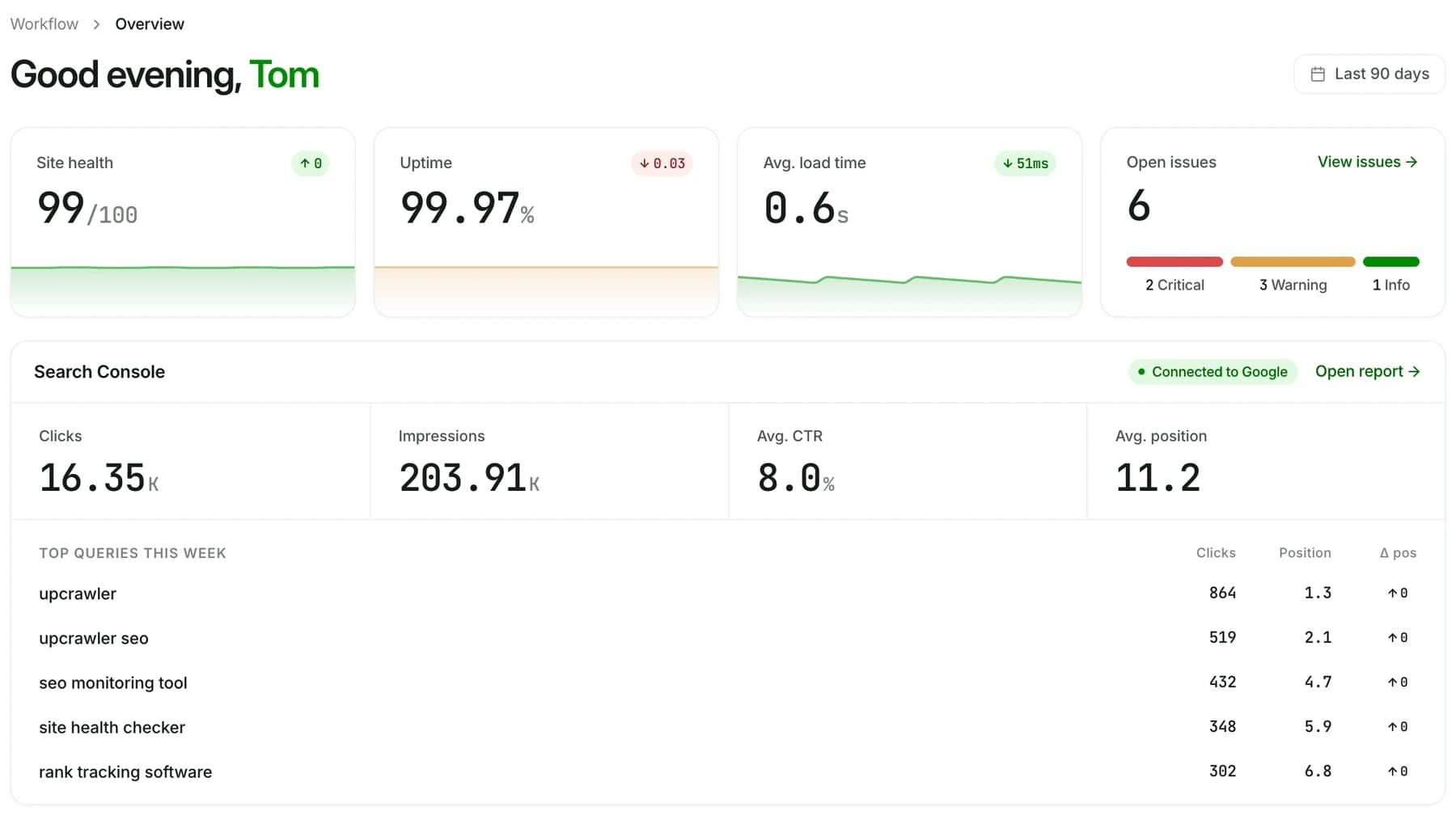
All featuresYour whole site at a glance
Health, uptime, speed, open issues and Search Console, ready every morning.
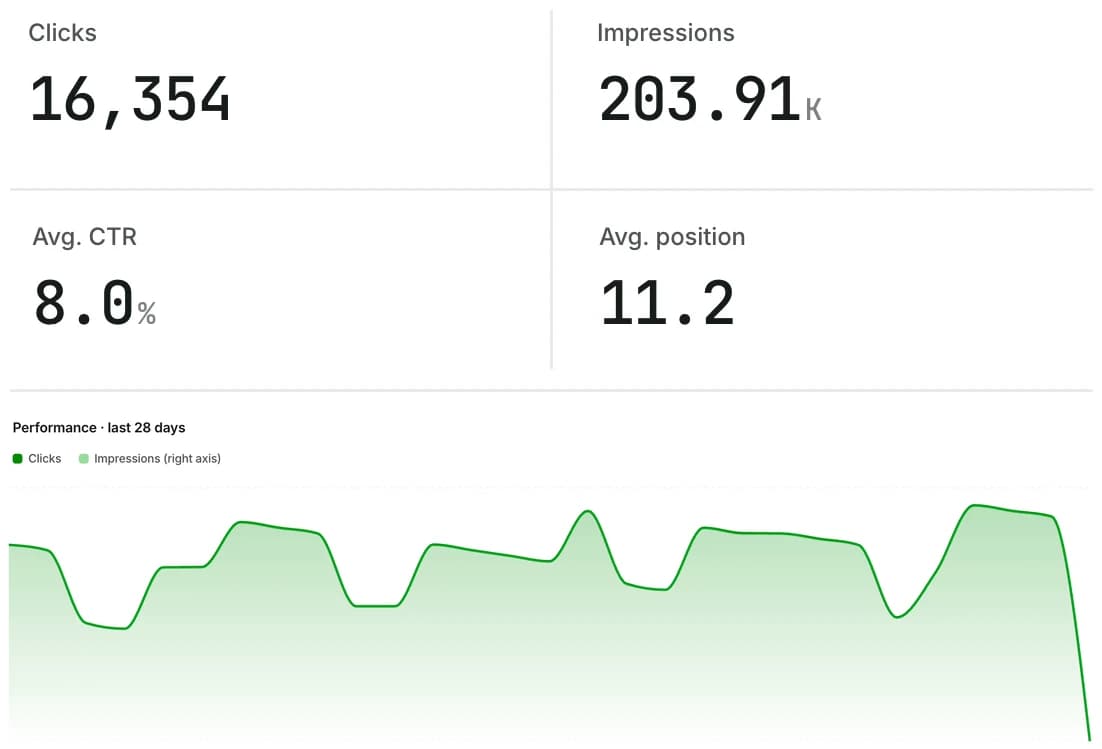
Rankings next to issues
Clicks, impressions, CTR and position from Search Console.
Alerts before customers notice
Downtime, slow responses and SSL expiry, by email.